
Small jobs.
Close by.
Earn between classes or find someone nearby to lend a hand. One app, right around campus.
Coming to iPhone

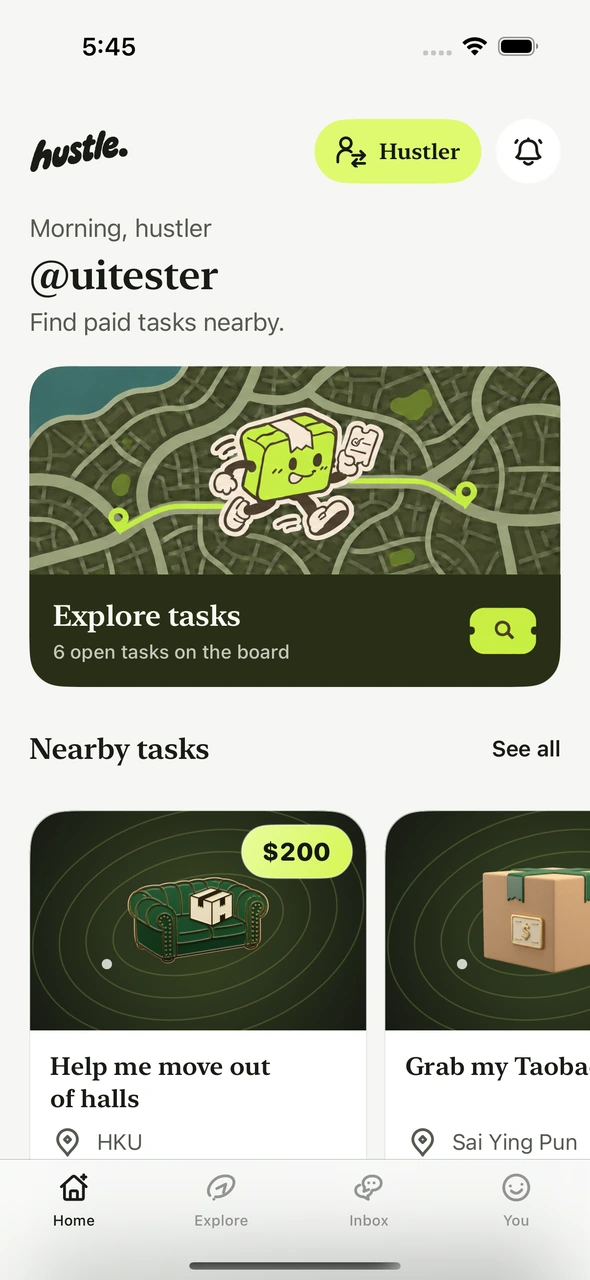
A job that fits your day.
Pick up a parcel, help someone move, or post something you could use a hand with.
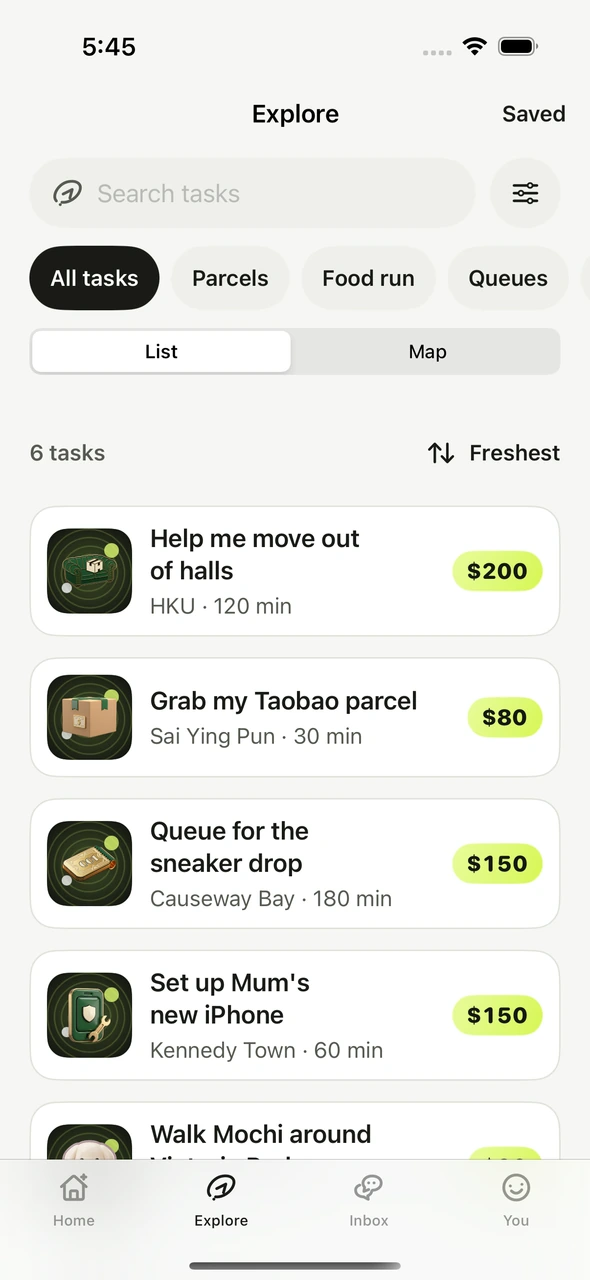
 Find a task nearby
Browse jobs near you and check what’s involved, where to meet and what the poster is offering.
 Agree on a price
Send an offer that works for you, or post a task and choose who you want to work with.
 Hand it off
Share proof of delivery in the app so the poster can review the work. Leave a review after completion.

Know what you’re signing up for.
Agree on the job before you start and keep the details in one place.
- Clear budgets in HKDSee the agreed price before you take the job.
- In-app messagesSort out the handoff and keep a record of it.
- Delivery proof and reviewsSee how work went before deciding who to hire next time.
Good to know.
Where is Hustle starting?
In Hong Kong, with an initial focus on campus and nearby neighbourhoods.
Can I post and take jobs?
Yes. You can use the same account to find someone for a task and make offers on tasks yourself.
What kind of jobs fit Hustle?
Short local jobs such as parcel pickups, tutoring, moving a few boxes or helping out at a campus event. The poster sets out what they need, where and when.
How do I install Hustle?
Join the early-access list below. We’ll use your email to share iPhone installation details when access opens.
See you around campus.
Get an email when Hustle opens early access on iPhone.